
The Rise of VS Pop™: Redefining Modern Music

The Rise of VS Pop™: Redefining Modern Music

Introduction: What Makes VS Pop™ a Game-Changer?

VS Pop™, or Very Smooth Pop, is a groundbreaking genre that seamlessly bridges the rich traditions of classical music with the vibrant energy of contemporary pop. With influences spanning Carnatic, Hindustani, Western, and Arabic classical systems, VS Pop™ offers a sophisticated yet accessible listening experience. This innovative fusion is not just about chords—it’s about creating deeply intricate musical narratives that captivate audiences globally.

Listen to some iconic VS Pop™ tracks here:

  1. VS Pop™: The Art of Blending Heritage with Modernity

What sets VS Pop™ apart from conventional pop genres is its ability to incorporate motifs, scales, and modes from global classical traditions. Unlike many fusion attempts that lean heavily toward classical or pop, VS Pop™ maintains an equal balance. This creates a genre that is both innovative and respectful of its roots.

Take the track Alive as an example. The intro is inspired by the Carnatic raga Todi (akin to the Phrygian mode in Western music). This classical foundation transitions into a dynamic pop arrangement, revisiting Todi motifs in its interludes. The result? A track that feels grounded in tradition yet undeniably modern.

Similarly, Max Mornings begins with a Turkish-inspired riff, pulling listeners into a rich cultural soundscape. As the song progresses, it morphs into a quirky, upbeat pop track. The smoothness of this transformation exemplifies the core philosophy of VS Pop™—effortless blending of the old and the new.

  1. Transforming Genres: The Versatility of VS Pop™

VS Pop™ isn’t just a genre—it’s a methodology. By introducing classical motifs, even the most modern genres like techno, trance, or EDM can be reimagined as VS Pop™ tracks. These classical elements, often mined from the 17th- and 18th-century Western classical era or other global traditions, add depth and sophistication.

Consider Shanthi as a perfect example. The track begins with a classical vox that evokes timeless serenity. The lyrics, “Om Shanthi,” derived from ancient Sanskrit chants, further root the track in tradition. Yet, as the song unfolds, it evolves into a modern pop anthem, complete with rhythmic beats and vibrant arrangements. This smooth transition is a hallmark of VS Pop™, demonstrating its ability to retain classical authenticity while appealing to contemporary tastes.

  1. Crafting VS Pop™: Beyond Chords and Progressions

Unlike traditional pop music, which often relies on straightforward chord progressions, VS Pop™ tracks require a deep understanding of classical music traditions. The creation process is both an art and a science, demanding:

  • Melodic Mastery: Integrating classical motifs that enrich the song’s emotional depth.
  • Flawless Transitions: Ensuring classical elements flow seamlessly into modern arrangements.
  • Lyricism with Purpose: Crafting lyrics that are both meaningful and accessible.

The effort behind tracks like Alive and Shanthi is a testament to this meticulous process. These songs are not just catchy—they are layered compositions that offer something new with every listen.

  1. Why VS Pop™ Matters: A Global Musical Movement

In a world of repetitive pop formulas, VS Pop™ is a breath of fresh air. It introduces global audiences to classical traditions in a way that feels natural and engaging. By celebrating cultural diversity, VS Pop™ offers a universal sound that resonates with listeners from all backgrounds.

Tracks like Max Mornings and Shanthi prove that VS Pop™ isn’t just a niche genre—it’s a movement. By reinventing pop music with a classical edge, it challenges the status quo and paves the way for a more diverse musical landscape.

  1. The Future of VS Pop™: Charting New Musical Horizons

As VS Pop™ gains traction, it has the potential to redefine the boundaries of pop music. By continuing to explore and integrate classical frameworks from around the world, it promises to remain both innovative and relevant.

The journey of VS Pop™ is just beginning, and its commitment to creating Very Smooth Pop ensures it will leave a lasting impact on the music industry. Whether through its intricate melodies, transformative transitions, or meaningful lyrics, VS Pop™ is set to be the soundtrack of a new era in music.

Explore the magic of VS Pop™ by listening to these tracks:

VS Pop™ is here to stay, and it’s redefining what it means to be “very smooth.”


The Evolution of VS Pop™: Redefining Modern Music with Sophistication and Elegance

What is VS Pop™?

VS Pop™, short for Very Smooth Pop, is not just a genre—it is a reimagination of contemporary music infused with global classical traditions. This innovative style masterfully bridges the intricacies of classical music systems from around the world—Western, Carnatic, Hindustani, and Arabic—with the accessible energy of modern pop. What makes VS Pop™ exceptional is its ability to blend complexity and simplicity, delivering a sound that is refined, emotionally resonant, and universally appealing.

Experience the sophistication of VS Pop™ through these standout tracks:

  1. VS Pop™: A Seamless Fusion of Heritage and Modernity

VS Pop™ redefines the boundaries of music by weaving classical motifs, scales, and progressions into contemporary pop compositions. Unlike traditional fusion music, which often leans entirely toward classical or modern styles, VS Pop™ strikes a sophisticated balance, creating tracks that honor their roots while remaining distinctly modern.

Consider Alive as a prime example. The song begins with an evocative motif inspired by the Carnatic raga Todi (akin to the Phrygian mode in Western music, C Minor – Db Major). This classical framework transitions seamlessly into a vibrant, energetic pop arrangement. Interludes revisit Todi themes, adding depth and continuity to the composition. The result is a captivating musical experience that combines cultural richness with modern accessibility.

Similarly, Max Mornings introduces a Turkish riff that sets the stage with a distinct cultural identity. As the song unfolds, it transforms into a playful, upbeat pop track while maintaining its classical essence. This effortless integration of contrasting elements is the hallmark of VS Pop™—a genre where heritage and modernity coexist harmoniously.

  1. Transforming Genres: The Versatility of VS Pop™

One of the most compelling aspects of VS Pop™ is its adaptability. By introducing classical motifs, VS Pop™ can transform any modern genre—be it techno, trance, or R&B—into a sophisticated musical experience. Classical elements mined from the 17th- and 18th-century Western classical era or global traditions serve as the foundation for these transformations.

Take the track Shanthi as an illustration. Beginning with a serene, classical vox melody, the track evokes an air of timeless spirituality. The lyrics, “Om Shanthi,” draw from ancient Sanskrit chanting, grounding the composition in cultural and spiritual significance. As the song progresses, it transitions into a vibrant modern pop anthem, complete with rhythmic beats and dynamic arrangements. This smooth evolution from traditional to contemporary exemplifies the transformative potential of VS Pop™.

  1. The Craft of VS Pop™: Precision Beyond Chord Progressions

Creating a VS Pop™ track demands a level of expertise far beyond standard pop production. While traditional pop often relies on simple chord progressions and catchy hooks, VS Pop™ requires:

  • In-Depth Classical Knowledge: A thorough understanding of global classical systems to identify and adapt motifs and progressions.
  • Sophisticated Composition Skills: Developing smooth transitions between classical and contemporary elements to create a cohesive and engaging musical experience.
  • Purposeful Lyricism: Crafting lyrics that align with the emotional and cultural undertones of the track.

For example, the layered complexity of Alive and the transformative narrative of Shanthi are products of meticulous composition and thoughtful integration. These tracks demonstrate how VS Pop™ transcends conventional musical boundaries to deliver something truly exceptional.

  1. Why VS Pop™ Matters: A Global Movement in Music

In an era where mainstream music often prioritizes repetition over innovation, VS Pop™ offers a refreshing alternative. By introducing listeners to the beauty of classical traditions in a contemporary context, VS Pop™ bridges generational and cultural divides.

Tracks like Max Mornings and Shanthi illustrate how VS Pop™ celebrates cultural diversity while maintaining its universal appeal. By doing so, it paves the way for a more inclusive and sophisticated global music landscape.

  1. The Future of VS Pop™: A Blueprint for Innovation

As VS Pop™ continues to evolve, it holds the potential to revolutionize how music is created and experienced. Its commitment to blending timeless classical traditions with modern soundscapes ensures its relevance across generations.

With its unique ability to transform and adapt, VS Pop™ is poised to redefine the music industry. Whether through its intricate compositions, smooth transitions, or meaningful lyrics, it will undoubtedly inspire a new era of innovation in music.

Discover the Future of Music with VS Pop™:

VS Pop™: Where classical heritage meets modern sophistication, creating a sound that is undeniably Very Smooth.
 

Getting Started with Bitwig Studio: A Beginner’s Tutorial

Getting Started with Bitwig Studio: A Beginner’s Tutorial

Bitwig Studio is a powerful digital audio workstation (DAW) that has quickly become a favorite among music producers and sound designers. Known for its intuitive interface and robust features, Bitwig Studio offers endless possibilities for creating and performing music. Whether you’re just starting your music production journey or transitioning from another DAW, this tutorial will help you get up to speed with Bitwig Studio.

1. Installation and Setup

Before diving into music production, you need to install and set up Bitwig Studio:

    • Download and Install:  Choose the appropriate version for your operating system (Windows, macOS, or Linux) and follow the installation instructions.
    • Activate Your License: After installation, launch Bitwig Studio and log into your Bitwig account to activate your license. If you’re using the trial version, you’ll have limited features but can still explore the core functionality.

  • Set Up Audio and MIDI Devices: Open the settings menu (File > Settings on Windows or Bitwig Studio > Settings on macOS). In the “Audio” tab, select your audio interface, and configure the sample rate and buffer size for optimal performance. Under the “Controllers” tab, add and configure MIDI controllers by selecting your device from the list or manually mapping controls.

2. Understanding the Interface

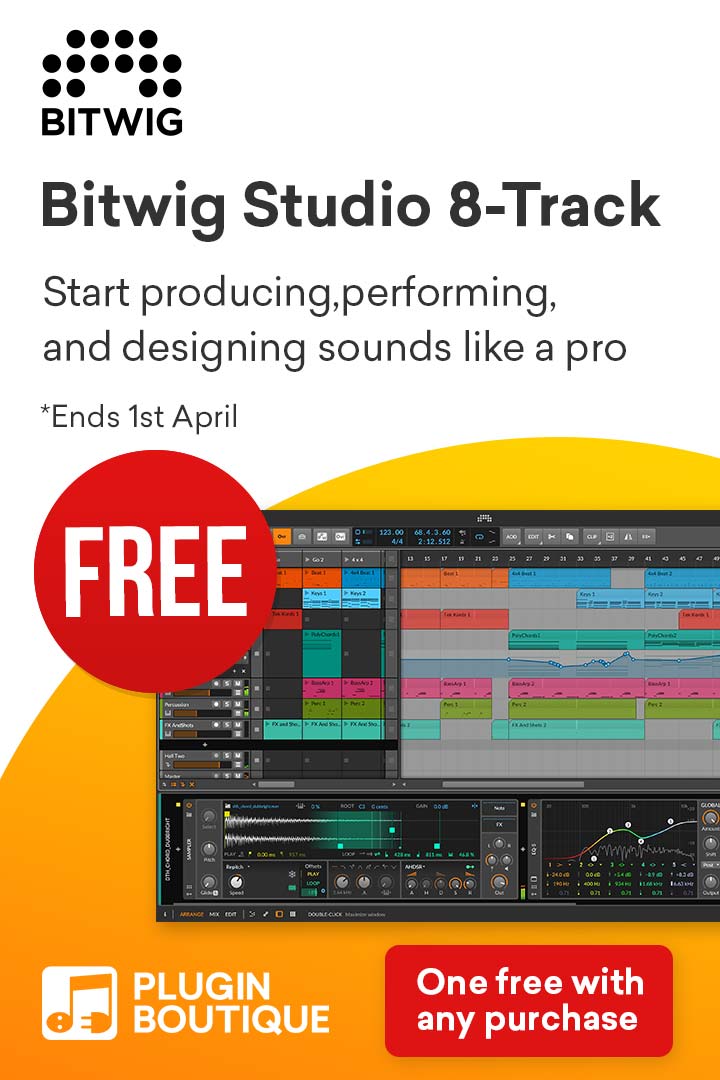
Bitwig Studio’s interface is designed to be user-friendly and highly customizable. Here are the main sections you’ll work with:

  • Arranger View: This is the main timeline where you arrange and organize your clips to construct a full track. It’s ideal for linear composition.
  • Mixer View: This section provides access to volume, pan, and effects for each track, allowing you to mix your project.
  • Clip Launcher: A grid-based interface for launching clips and experimenting with different musical ideas in a non-linear way. It’s especially useful for live performances.
  • Inspector Panel: This panel displays detailed properties and options for the currently selected track, clip, or device, making it easy to fine-tune settings.
  • Device Panel: Located at the bottom, this panel shows all devices (instruments, effects, or modulators) loaded onto a track, allowing quick adjustments and modulation routing.
  • Browser Panel: Found on the right side, this is your go-to place for accessing instruments, effects, samples, and presets. Drag and drop items directly into your project.

Spend time navigating these sections and customizing your layout by resizing panels or rearranging tabs to suit your workflow.

3. Creating Your First Project

Let’s create a simple music project to get familiar with Bitwig Studio:

  • Start a New Project: Go to File > New to open a blank project. The default template includes an empty timeline and a few predefined tracks.
  • Add Tracks: Right-click on the track area or click the “+” button to add new tracks. You can choose from three types:
    • Instrument Track: For adding virtual instruments like synths or samplers.
    • Audio Track: For recording or importing audio files.
    • Hybrid Track: Combines audio and MIDI functionality on a single track.
  • Load an Instrument: Open the Browser Panel, select an instrument like Polysynth or Sampler, and drag it onto an Instrument Track.
  • Record MIDI or Audio:
    • For MIDI: Connect your MIDI controller, arm the track for recording, and press the record button. Play notes to record them onto the timeline.
    • For Audio: Connect a microphone or instrument, select the input source in the track settings, and record your performance.

4. Using Clips and Scenes

Clips and scenes form the foundation of Bitwig Studio’s workflow. Here’s how to work with them effectively:

  • Create Clips: Double-click in the Clip Launcher grid or Arranger View to create a new clip. Depending on the track type, it will be either a MIDI or audio clip.
  • Edit MIDI Clips:
    • Open the Piano Roll by double-clicking a MIDI clip. Here, you can draw notes, adjust velocity, and quantize your performance.
    • Use tools like Pen, Knife, and Eraser for precise editing.
  • Edit Audio Clips:
    • Open the audio editor to trim, stretch, or apply fades.
    • Use Bitwig’s unique audio events feature to apply effects or pitch adjustments to specific parts of a clip.
  • Group Clips into Scenes: Organize clips into scenes in the Clip Launcher. Trigger scenes to experiment with different arrangements without affecting the timeline.

5. Adding Effects and Modulators

Bitwig Studio excels in effects and modulation. Here’s how to enhance your tracks:

  • Add Effects:
    • Drag an effect (e.g., Reverb, Delay, or EQ-5) from the Browser Panel and drop it onto a track or individual clip.
    • Chain multiple effects to create complex sound designs.
  • Use Modulators:
    • Bitwig’s modulators allow you to dynamically control device parameters. For example, use an LFO modulator to automate filter cutoff or volume.
    • Add modulators by clicking the “+” button in the Device Panel and choose from options like envelopes, random generators, or step sequencers.

6. Automation and Arranging

Automation and arrangement bring your project to life:

  • Enable Automation: Press “A” to toggle automation mode. Draw automation curves for volume, pan, or any device parameter directly in the Arranger View.
  • Edit Automation: Use the Pen tool to add points and shape curves. Double-click points to delete them or adjust their position.
  • Arrange Your Project:
    • Drag clips from the Clip Launcher to the timeline for linear arrangement.
    • Use markers to define sections like intro, verse, and chorus.

7. Exporting Your Track

When your track is complete, export it for sharing or further processing:

  • Export Options:
    • Go to File > Export Audio.
    • Choose the range to export (e.g., entire project or specific region).
    • Select the format (WAV, MP3, or others) and adjust quality settings.
  • Render Stems: If you want to export individual tracks, enable the “Render Stems” option.
  • Final Export: Click “OK” to render your project.

Tips for Success

  • Leverage Templates: Save time by creating templates for specific genres or workflows.
  • Explore the Grid: Bitwig’s modular synthesis environment, The Grid, allows you to build custom instruments and effects.
  • Learn Shortcuts: Familiarize yourself with keyboard shortcuts to streamline your workflow.
  • Experiment Freely: Use Bitwig’s non-destructive editing to try out new ideas without fear of losing your original work.
  • Engage with the Community: Join forums, watch tutorials, and participate in discussions to learn from other Bitwig users.

Final Thoughts

Bitwig Studio is an incredibly versatile DAW that caters to both beginners and advanced users. By exploring its features and experimenting with its tools, you’ll unlock its full potential and bring your musical ideas to life. Start small, stay curious, and have fun creating music!


Bitwig Studio Review: Unleashing Creativity for Music Producers

Bitwig Studio Review: Unleashing Creativity for Music Producers

When it comes to digital audio workstations (DAWs), the competition is fierce, with several top-tier options catering to music producers worldwide. Among them, Bitwig Studio Review has carved out a niche, offering unique features and a fresh approach to music production. In this detailed review, we’ll explore every aspect of Bitwig Studio that makes it a compelling choice for modern creators.


Overview of Bitwig Studio

Bitwig Studio is a professional-grade DAW designed for music producers, sound designers, and live performers. Launched in 2014 by former developers of Ableton Live, Bitwig has steadily grown in popularity due to its innovation, modular flexibility, and user-centric approach. Compatible with Windows, macOS, and Linux, Bitwig Studio ensures that no user is left behind.


Key Features in Detail

1. The Grid: A Modular Sound Designer’s Paradise

Bitwig Studio’s Grid environment is a game-changer for sound designers. Comprising Poly Grid (for instruments) and FX Grid (for effects), it offers a modular interface to create unique sounds from scratch. With over 150 modules ranging from oscillators to logic operations, users can:

  • Design complex synths and effects.
  • Explore modular patching with visual feedback.
  • Experiment with custom signal flows for unprecedented creativity.

The Grid’s drag-and-drop interface makes it approachable for beginners while offering depth for seasoned users.

2. Dual Workflow: Arranger and Clip Launcher

Bitwig Studio supports both linear and non-linear workflows, making it suitable for composing, producing, and live performances.

  • Arranger View: Perfect for traditional track-based sequencing.
  • Clip Launcher: Enables loop-based creation and live improvisation, akin to Ableton Live’s Session View.

This duality ensures that users can transition effortlessly between production and performance environments.

3. Advanced Modulation System

Bitwig Studio takes modulation to the next level with over 30 modulation devices. The Unified Modulation System lets users:

  • Assign modulators to nearly any parameter.
  • Use LFOs, envelopes, and macro controls to add dynamic movement.
  • Stack multiple modulators for intricate sound manipulation.

What sets this apart is the ease of connecting modulation sources to destinations, offering a level of control rarely seen in other DAWs.

4. Comprehensive Device Library

The built-in devices in Bitwig Studio are a treasure trove for producers. Highlights include:

  • Instruments: Polysynth, Sampler, Drum Machine, and FM-4.
  • Effects: Delay, Reverb, Saturator, and a suite of dynamic processors.
  • Utilities: Spectrum analyzers, MIDI tools, and signal processors.

The integration of native devices with VST plugins ensures flexibility while maintaining stability.

5. Cross-Platform Excellence

Unlike most DAWs, Bitwig Studio is fully compatible with Linux, alongside Windows and macOS. This inclusivity makes it a go-to choice for Linux users, providing them with a robust tool for professional music production.

6. Real-Time Collaboration Tools

While still evolving, Bitwig’s efforts toward real-time collaboration tools are promising. Users can share project files easily, and the platform’s stability ensures smooth collaboration for remote workflows.


Performance Features for Live Musicians

Bitwig Studio shines in live performance scenarios with features like:

  • Scene Triggering: Organize clips into scenes for dynamic live sets.
  • Real-Time Parameter Tweaks: MIDI mapping and automation recording make live improvisation seamless.
  • Low Latency Engine: Bitwig Studio’s engine ensures reliable playback, even under heavy CPU loads.

Who Should Use Bitwig Studio?

Bitwig Studio is a versatile DAW suitable for:

  • Electronic Music Producers: The modular environment and extensive modulation options are ideal for crafting unique sounds.
  • Sound Designers: Create custom instruments and effects with The Grid.
  • Live Performers: The Clip Launcher and real-time controls excel in live settings.
  • Linux Enthusiasts: A rare professional-grade DAW with Linux compatibility.

Pricing and Upgrade Model

Bitwig Studio is priced at $399, with a unique 12-month upgrade plan. This model provides users with a year’s worth of updates and features. Unlike subscription models, users retain access to their purchased version even after the upgrade period ends.

While the upfront cost might seem high, the value offered by its innovation and frequent updates justifies the investment.


Pros and Cons of Bitwig Studio

Pros:

  • Unmatched modulation and sound design tools.
  • Highly customizable and intuitive interface.
  • Ideal for both traditional and loop-based workflows.
  • Strong cross-platform compatibility.
  • Regular updates driven by user feedback.

Cons:

  • Initial learning curve for beginners.
  • Higher upfront cost compared to entry-level DAWs.
  • Limited advanced collaboration features.

Final Thoughts on Bitwig Studio

Bitwig Studio is a cutting-edge DAW that empowers producers to push creative boundaries. Its modular approach, advanced modulation system, and live performance capabilities make it a unique and powerful tool for modern music production.

Whether you’re a producer looking to craft experimental tracks, a sound designer seeking unmatched flexibility, or a live performer needing a reliable DAW, Bitwig Studio delivers on all fronts. While it may require some time to master, the creative possibilities it unlocks are well worth the effort.

Bitwig Studio Review Verdict: If innovation and flexibility are your top priorities, Bitwig Studio is an investment you won’t regret.

Who Uses Bitwig Studio? A Look at Its Diverse User Base

Who Uses Bitwig Studio? A Look at Its Diverse User Base

When exploring digital audio workstations (DAWs), you’ll often come across Bitwig Studio, a powerful and innovative tool. But who uses Bitwig Studio, and why has it gained such popularity among different types of music creators? Let’s dive into the vibrant community that calls Bitwig Studio their DAW of choice.


1. Electronic Music Producers

Bitwig Studio is a favorite among electronic music producers due to its cutting-edge features like The Grid, a modular sound design environment. Producers appreciate the DAW’s ability to create complex soundscapes, unique beats, and expressive tracks with ease.

Why Bitwig Studio Appeals to Them:

  • Advanced modulation system for dynamic sound creation.
  • Powerful clip-based workflow for arranging tracks.
  • Excellent integration with hardware synths and controllers.

2. Sound Designers

Sound designers are another group who use Bitwig Studio extensively. Its modular design and intuitive interface make it an excellent choice for creating intricate sound effects for movies, games, and multimedia projects.

Top Features for Sound Designers:

  • Real-time audio manipulation tools.
  • Compatibility with modular synth setups.
  • Flexible automation and modulation options.

3. Live Performers

Artists performing live are among those who use Bitwig Studio to elevate their stage presence. Its clip-launching system, low-latency performance, and seamless integration with MIDI controllers make it ideal for live improvisation and dynamic sets.

Why Live Performers Love It:

  • Reliable stability during performances.
  • Intuitive tools for live track arrangement.
  • Real-time parameter adjustments with MIDI and hardware support.

4. Experimental Musicians and Sound Artists

Bitwig Studio is a playground for experimental musicians who push the boundaries of traditional music. These creators value the DAW’s flexibility and tools for exploring unconventional sound design techniques.

What Attracts Experimental Artists:

  • Fully customizable interface and workflows.
  • Support for microtuning and alternate scales.
  • Open Controller API for unique hardware integrations.

5. Educators and Students

In music education, Bitwig Studio has carved a niche. Teachers and students often use Bitwig Studio for its intuitive interface and innovative features, which make learning and teaching music production exciting.

Educational Benefits of Bitwig Studio:

  • Clear and approachable layout for beginners.
  • Advanced tools to challenge experienced learners.
  • Affordable pricing for students and educators.

6. Producers Switching from Other DAWs

Many experienced music producers switch to Bitwig Studio from other DAWs like Ableton Live or Logic Pro. These users are drawn to Bitwig’s innovative approach to modulation, unique features, and frequent updates.

Reasons to Make the Switch:

  • Regular feature-rich updates.
  • A balance of simplicity and advanced capabilities.
  • Cross-platform compatibility and smooth integration with existing setups.

Why Bitwig Studio Stands Out

Bitwig Studio’s ability to cater to such a wide array of users makes it a standout in the world of digital audio workstations. Its powerful tools, intuitive design, and versatility appeal to everyone from electronic music producers to live performers and sound designers.

Who uses Bitwig Studio? The answer is simple: anyone who values innovation, creativity, and flexibility in music production. Whether you’re a beginner or a professional, Bitwig Studio has something unique to offer.

Behind the Scenes: Making of “Shanthi”

Behind the Scenes: Making of “Shanthi”

The journey of creating “Shanthi,” my second VS Pop track, has been an enlightening experience, blending lyrical storytelling, serene melodies, and a classical score that reflects inner peace. This blog offers a glimpse into the inspiration, composition process, and the classical score sheet that brings the track to life.


The Inspiration

“Shanthi” is a musical exploration of harmony and tranquility. The lyrics, rooted in nature and human connection, evoke a sense of coming home—both physically and spiritually. The refrain “Om Shanti” is more than just words; it’s a mantra that encapsulates the essence of peace and unity. Drawing from my own meditative practices and the philosophy behind VS Pop (Very Smooth Pop), the track aims to bridge the gap between pop sensibilities and classical depth.

The Lyrics

The lyrics of “Shanthi” serve as the foundation of the track, combining simplicity with profound meaning:

Verse 1:

  • when the rain starts to fall on my skin
  • when the wind passes right over my face
  • when the sun starts to shine all the way Only then will we know we are close to home

Chorus:

  • We can live our lives
  • We still have some time
  • We find inner peace, inner peace in our lives

Verse 2:

  • when the rain starts to fall to the ground
  • when the wind passes right through my hands
  • when the sun starts to shine I still feel the love

Mantra:

  • Om Shanti

Compositional Approach

“Shanthi” is composed in a blend of modern pop structures and classical underpinnings. While the verses and choruses are straightforward and catchy, the score features intricate orchestral elements, designed to complement the lyrics and enhance the meditative atmosphere.

Key Elements of the Score:

  1. Instrumentation:
    • Strings: A lush string section forms the backbone of the track, weaving in harmonies that reflect the ebb and flow of nature.
    • Piano: Gentle arpeggios and subtle chords provide a grounding presence.
    • Flute: Melodic lines evoke the lightness of wind and air, symbolizing freedom and connection.
    • Percussion: Minimalistic and soft, the percussion adds texture without overpowering the tranquil mood.
  2. Melodic Themes:
    • The mantra “Om Shanti” is set to a soothing, repetitive motif that resonates throughout the track, symbolizing continuity and peace.
    • The verses are underscored by a rising melodic progression, reflecting the journey towards inner peace.
  3. Harmonic Choices:
    • The composition alternates between major and minor keys to mirror the duality of life’s challenges and resolutions.
    • Open intervals in the strings create a sense of vastness, akin to nature’s boundless beauty.

Challenges and Insights

Creating “Shanthi” required balancing the spiritual essence of the lyrics with the accessibility of VS Pop. The primary challenge was ensuring the classical score’s richness didn’t overshadow the simplicity of the song. By carefully layering instruments and focusing on dynamics, the track achieves a harmonious blend.

Another key aspect was infusing the “Om Shanti” mantra with authenticity. Drawing from traditional Indian chants, I aimed to respect its cultural significance while adapting it to the VS Pop style.


The Classical Score Sheet

The classical score sheet for “Shanthi” is a detailed representation of the orchestration and arrangement. It includes:

  • Full Score: Featuring all parts—strings, piano, flute, and percussion.
  • Annotations: Marking dynamic shifts, articulations, and expressive techniques.
  • Mantra Integration: Notated with precise timing to ensure seamless integration with the vocal parts.

The score is available for purchase and download on platforms like IMSLP and Sheet Music Plus, allowing musicians and enthusiasts to explore and recreate “Shanthi” in their own interpretations.